Guide
How to play the Drink the Ocean Game
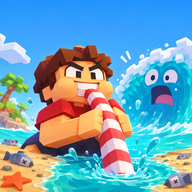
The Drink the Ocean game asks you to empty a sea with a straw, then spend what you compressed out of that water on better tools. This page covers the loop, the keyboard and mobile controls, and how a session feels on a computer or a phone. You can play Drink the Ocean unblocked on the home page, or open the same version on Playgama. Drink the Ocean is developed by Pinidi Studio.

The basic loop
Every early run follows the same circuit. You will do it slowly at first, then much faster once the shop has something to sell you.
- Walk to the water's edge and start drinking through the straw.
- When your belly is full, leave the water and stand under the PRESS on the beach. The press compresses the water you are carrying into salt.
- Open the SHOP and spend that salt on upgrades and new tools.
- Return to the water and repeat. The surface keeps falling. Keep going until you reach the plug at the bottom, then pull it to switch to a stronger new ocean.
That is the whole engine. Drinking changes the water level. The press pays you. The shop changes how quickly the next circuit finishes. Nothing else has to be memorized before you start; the game itself walks you through the first actions on the beach.
Controls for keyboard and mobile
On a computer, click inside the game first so the keyboard is captured. Tab frees the mouse again when you need to use the rest of the page. The layout is landscape, so a wide window — or the fullscreen control — is more comfortable than a tall, narrow one.
| Action | Keyboard and mouse | Phone or tablet |
|---|---|---|
| Move | WASD | On-screen stick or pad, once the player has focus |
| Look | Mouse | Drag on the screen |
| Drink | Left mouse button, at the water | Hold the on-screen DRINK button |
| Jump | Space | On-screen jump control |
| Switch tools | 1, 2 and 3 | The tool control shown in the player |
| Go home | T | The home control in the player |
| Sky Duck gifts | E | The gift control in the player |
| Settings | P | The settings control in the player |
| Free the mouse | Tab | Not needed on a touch screen |
The phone column above is the touch equivalent of the published keyboard map. If a control is labelled differently inside a particular build, follow the label you see in the player.
Playing on a phone or tablet
Drink the Ocean is available on Android, iOS and desktop. It is built for landscape, so turn the device on its side, or use the “play fullscreen” prompt on the home page if you are still in portrait. The drink action is a hold, not a tap: keep the DRINK button down while you sip, then walk to the press when the belly is full.
Movement and looking around are tighter on a small screen than with a mouse and keyboard. Give the 16:9 player as much width as you can. If the embedded player feels cramped on a particular device, open the game directly on Playgama. The tips page has a few more notes on keeping a phone session comfortable.
What to do after the first circuits
Once salt is coming in, open the shop and read what each upgrade actually changes. A bigger belly means fewer walks to the press. Extra straws change how fast you can fill that belly. The mouth vacuum and the pocket whirlpool are separate tools, not just number bumps, so they are worth trying as soon as they appear. The upgrades page describes each one from the official list, without guessing at prices or hidden stats.
As the water falls, look for shipwrecks, whale skeletons and sunken cities. They are landmarks of progress as much as scenery. The Sky Duck also gives boosts; check those with E so you do not leave a bonus sitting unopened. Achievements record what you have already done, which is useful if you return later and cannot remember how far a previous session went.
When you finally reach the plug, pull it and choose the next ocean. Cola, lemonade, slime and lava are the seas listed for that new start. The game describes each new ocean as stronger, so expect the same loop with more to drink. The oceans page is the place for that step.
If something does not respond
If keyboard keys move the page instead of the character, click the player once. If you cannot find the press or the shop, use T to go home and scan the beach from there. If the game fails to load in the player, use the Playgama link on the home page and try the same version on the host itself. This site does not run the game software; it embeds the hosted version and writes the guides around it.